GSE Management
Ground Support Equipment (GSE) Management allows users to send commands to ground support equipment. These commands can be sent via the Real-Time Interface (RTI).
This feature includes the ability to:
- Send commands to start/stop the satellite gateway client connection.
- Send commands to the PSU (to be added in the future).
- Send commands to the XBand Demodulator (to be added in the future).
In this section, we will explain how to use the GSE menu. This includes:
Start/Stop Satellite Gateway Client Connection
To manage the satellite gateway client connection, users can send commands to start or stop the connection from the mission RTI.
Navigate to the mission's RTI (e.g. margaret) and in the left-hand menu, locate the GSE Management section.
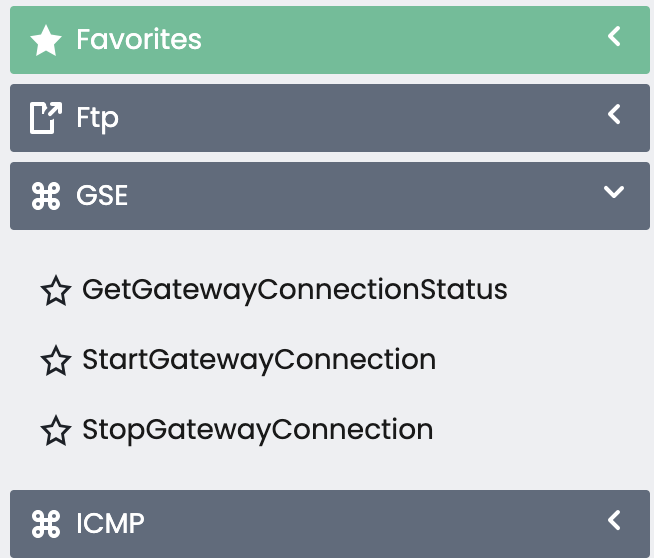
If you don’t see the GSE section, it means that GSE has not been configured for this mission.
Commands are sent to the GSE Computer device that is currently connected to the mission.
Check Gateway Connection Status
Send the GetGatewayConnectionStatus command to retrieve the current gateway connection status.
In the screenshot below, you can see the command and its response. The response indicates that the gateway is not currently connected to the mission.
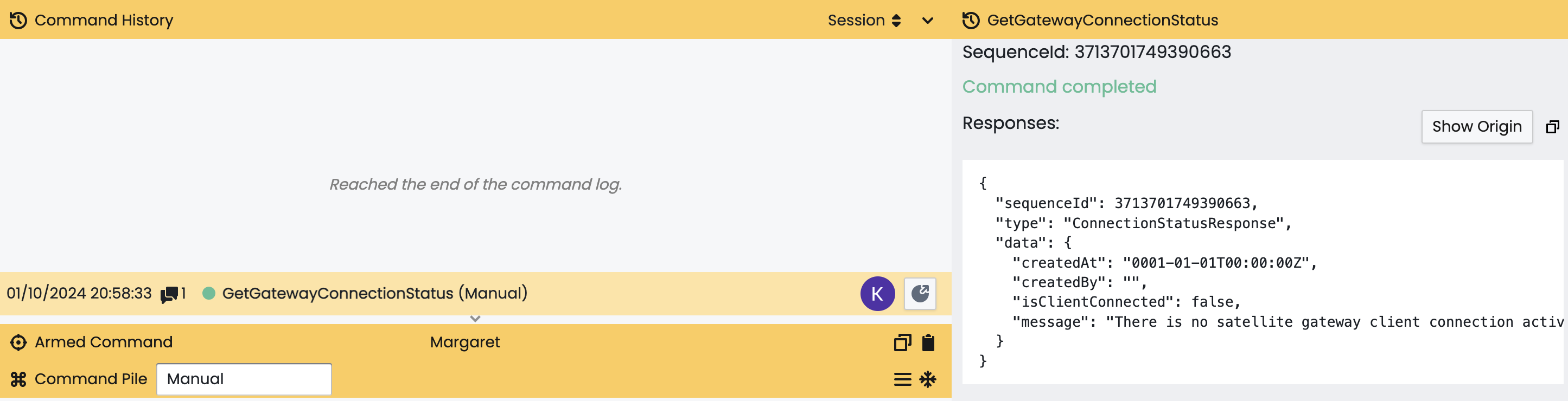
Client is not connected to current mission
The screenshot below will show the response when the gateway connection is connected to the current mission.
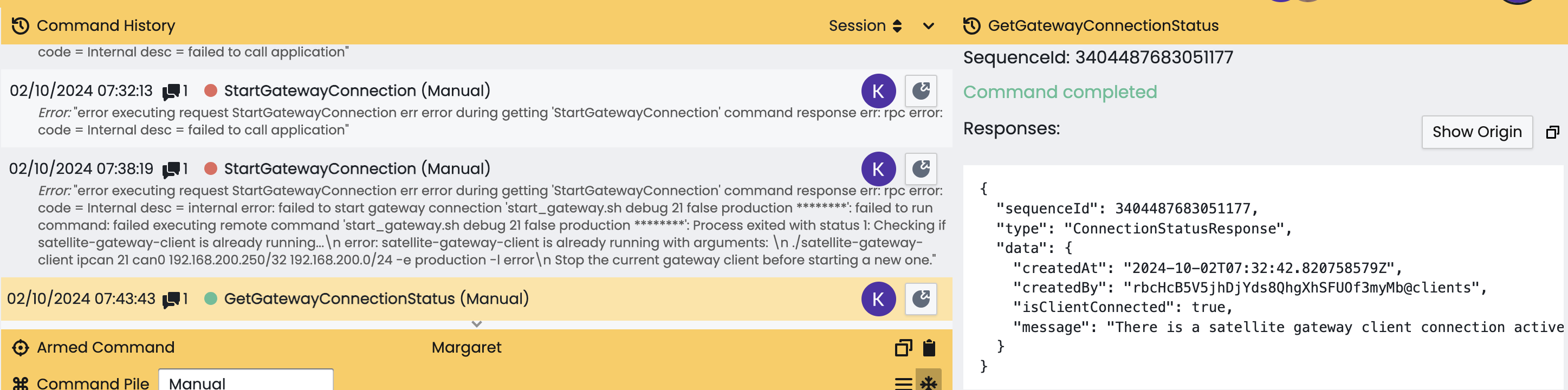
Client is connected to current mission
Start Gateway Connection
To initiate the gateway connection, send the StartGatewayConnection command.
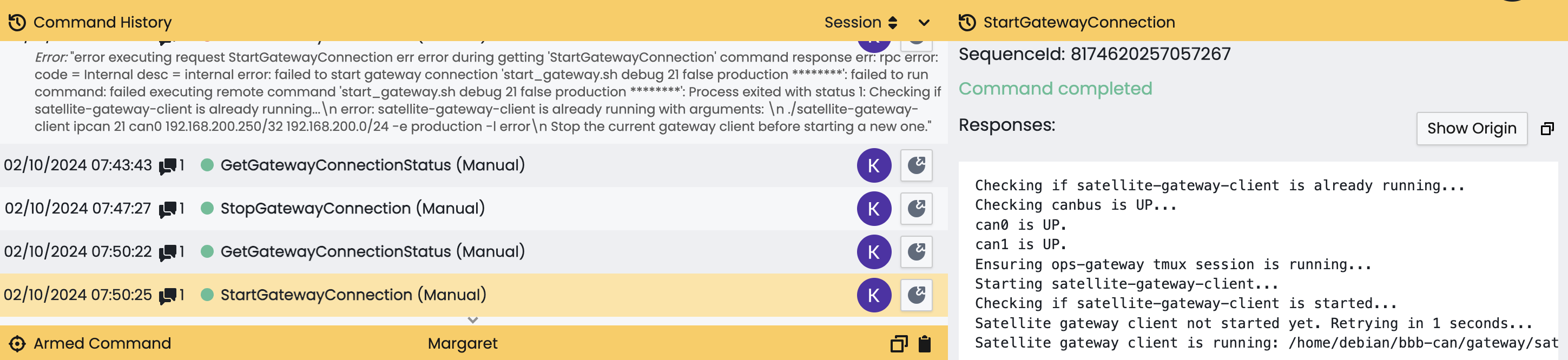
Start log contains all the important information and command arguments that were used to start the gateway client.
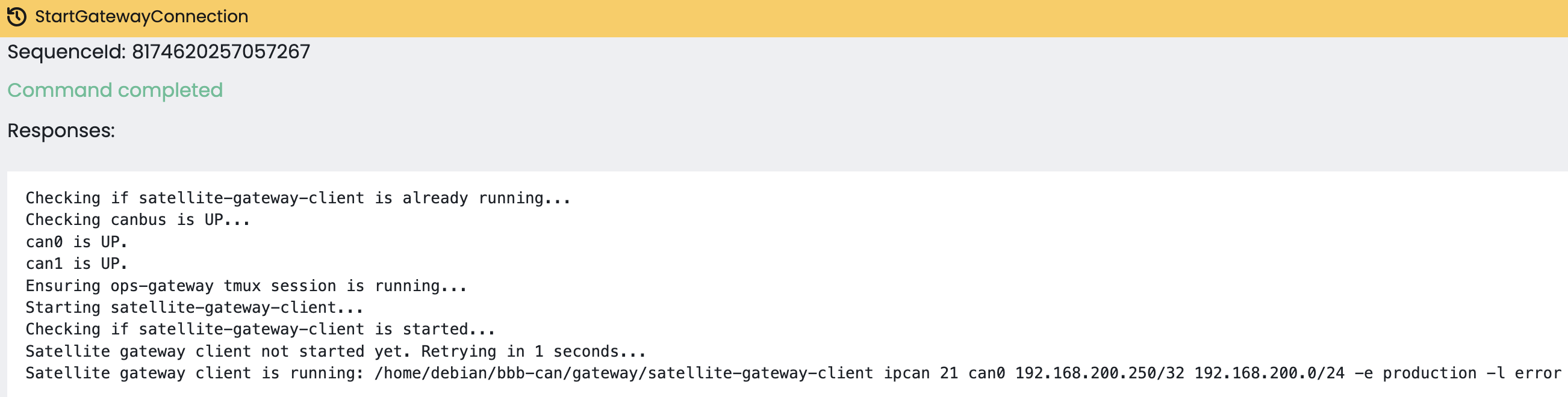
In order to be sure client is correctly connected, please check the connection status.
If you encounter an error like the one shown below, it means that the gateway connection has already started. You will need to stop the connection before starting it again.

Stop Gateway Connection
To stop the gateway connection, send the StopGatewayConnection command.
This will terminate the satellite gateway client connection for any mission on the device.
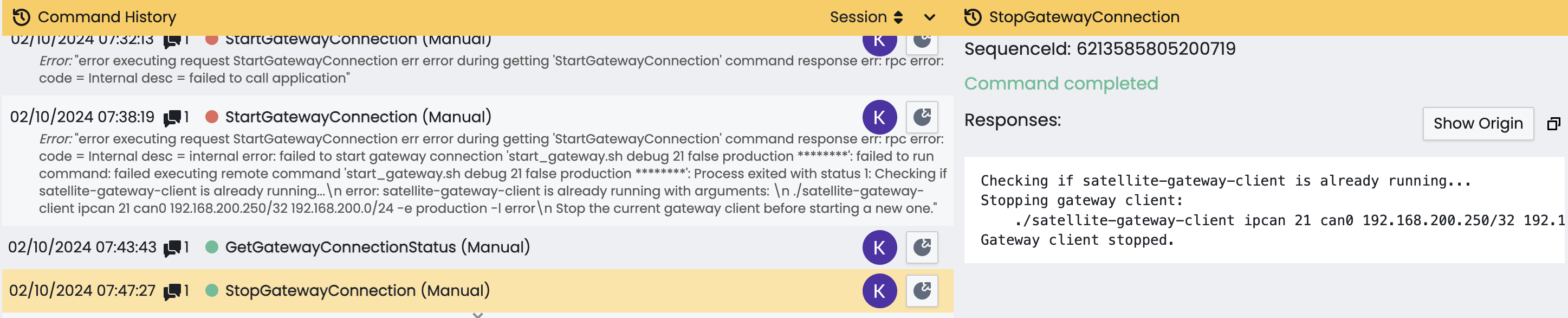
Client successfully stopped. You can find previous command arguments in the response