DataCosmos Release Notes - June 26, 2026
New Features
Catalog User Interface Redesign
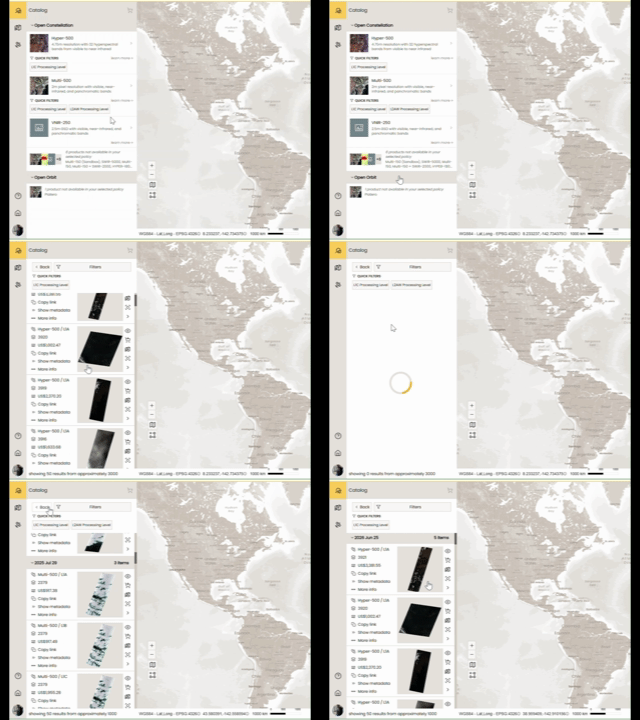
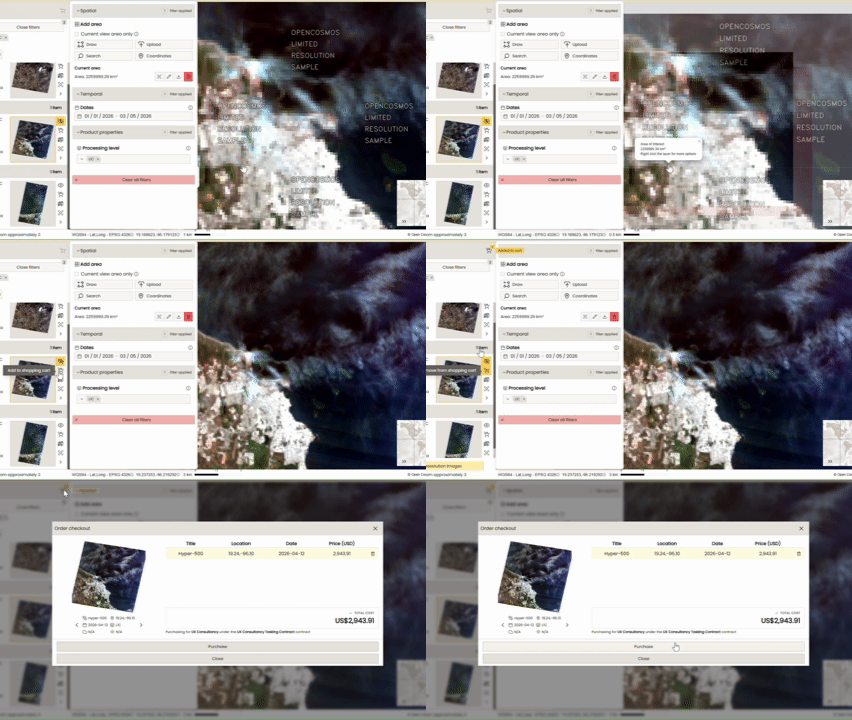
The catalog now has a refreshed user interface, improving how you browse and interact with available imagery and data products. The new approach presents the available Products at the forefront of the browse-purchase journey. The User is now guided to select the Product, then filter further for location, date and processing level. Locations can be configured as before - including searching for location names, lat/long co-ordinates and current view - as well as uploading and drawing AoI's to filter by. Quick Links to the most searched filters is also available to shorten this step even further.
To help you visualise the new flow, here is a quick walkthrough of how a request moves from concept to confirmation:
[Product Select] ➔ [Define AoI] ➔ [Define Date Range] ➔ [Select Processing Level] ➔ [Purchase Image]
Product Select
Begin by selecting the required Product Type. The User will be shown what Products are available based on the Contract selected. Selecting a Product type will search the catalog for images already in the customers library, as well as available images to purchase.
Define AoI
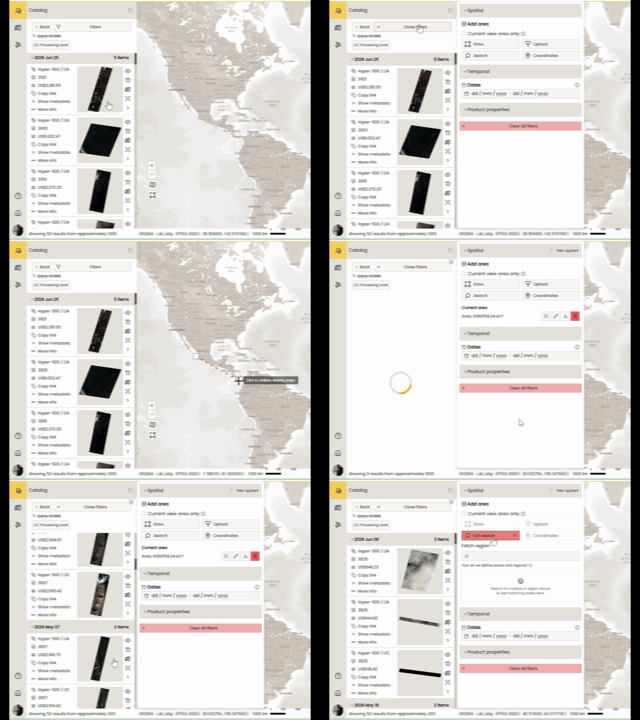
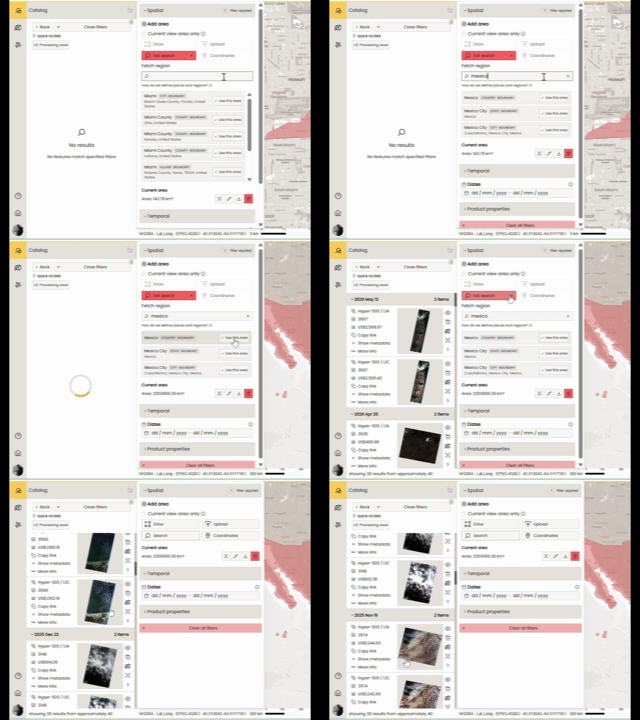
To filter the results further, define an AoI. Any image that falls within an AoI will be returned to the User. Mechanisms for AoI defintion include Drawing, Uploading from File, Searching by location name and entering a specific Lat/Long co-ordinate. The system will present you with all images falling within those boundaries.
Define Date Range
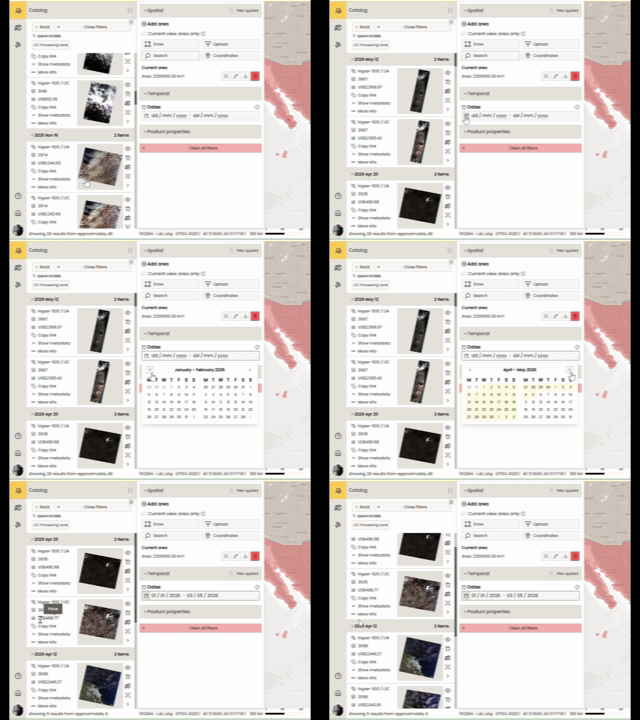
This optional step is where you set your date range. If your chosen AoI has returned multiple images, or you are looking for an image of a specific event, entering the Date range here will reduce your results further.
Select Processing Level
It is usual that an image in the catalog has been processed to multiple levels. Here we can filter specifically on the Processing Level required.
Purchase Image
Now you have found the image you require, you can view it on the map. If the User owns / has permissions for this image, it will display in Full Resolution. If the User wishes to purchase the Full Resolution image, simply add to the Cart and follow the purchasing steps.
Platform Improvements & Priority Fixes
Catalog Item Pricing No Longer Shows Incorrect Base Price
For customers with a contracted price (such as a free tier), the catalog no longer displays a misleading default price. The price shown now accurately reflects your agreement.
Orders Page Now Refreshes Correctly Without Requiring a Full Reload
Navigating to the Orders section from the avatar menu or page title now reliably loads the latest data, rather than showing a stale cached view.
Tasking List Now Shows Consistent Satellites for All User Roles
The list of available satellites in the Tasking view now shows the same options regardless of whether you are a Global Admin or a standard user.
Catalog API Now Returns the Correct Error Code on Invalid Updates
When attempting to publish a catalog item incorrectly, the API now returns the appropriate validation error (422) rather than a misleading "not found" error (404), making it easier to diagnose what went wrong.
Clearer Error Returned When Catalog Purchases Are Not Enabled
If your organization is not set up for catalog image purchases, the platform now returns a clear, descriptive error rather than silently appearing to succeed. This prevents confusion about whether an order was actually placed.
Non-OC Users No Longer Lose Tasking Permissions on Page Refresh
Users from external organizations (e.g. partner accounts) previously had to log out and back in after refreshing a page to restore their tasking access. This has been resolved.
Satellite and Sensor Tooltips Now Show Correct Descriptions
Some tooltips in the Tasking interface were displaying raw internal variable names instead of human-readable descriptions. These now show the correct information.
STAC API Item Responses Now Include Required Links
Catalog item and item collection responses from the API now include all required standard links
Questions or Feedback?
If you have any questions about this release, please contact us at the DataCosmos Helpdesk.