Recurrent Coverage Tasking
NOTE
All recurrent coverage tasking requests are also coverage requests. For more information on Coverage Tasking, see the Coverage Tasking page.
Overview
Recurrent coverage tasking allows users to create a tasking request that will be repeated automatically at specified intervals. This feature is particularly useful for customers who require regular satellite imagery over a specific area of interest, such as for monitoring environmental changes, urban development, or agricultural practices.
Recurrent coverage tasking uses the concept of "parent" and "child" tasking requests. When a user creates a recurrent coverage tasking request, they create a parent request. The sole purpose of this request is to hold the user specified parameters and act as a template for child requests. As such, it will not be populated with activities by the optimisation system.
The tasking system will automatically create child tasking requests based on the parameters provided in the parent requests. Each child request will then continue as a normal coverage tasking request, following the same tasking lifecycle. Child requests are created one week before they are due to start.
Creating Recurrent Coverage Tasking Requests
To start creating a recurring tasking request, first select the “Coverage” button after creating the area(s) of interest. Then set the desired acquisition date range, constraints and objectives as described in the Coverage Tasking page. Upon reaching the "Recurrence" section, select "Recurrent request".
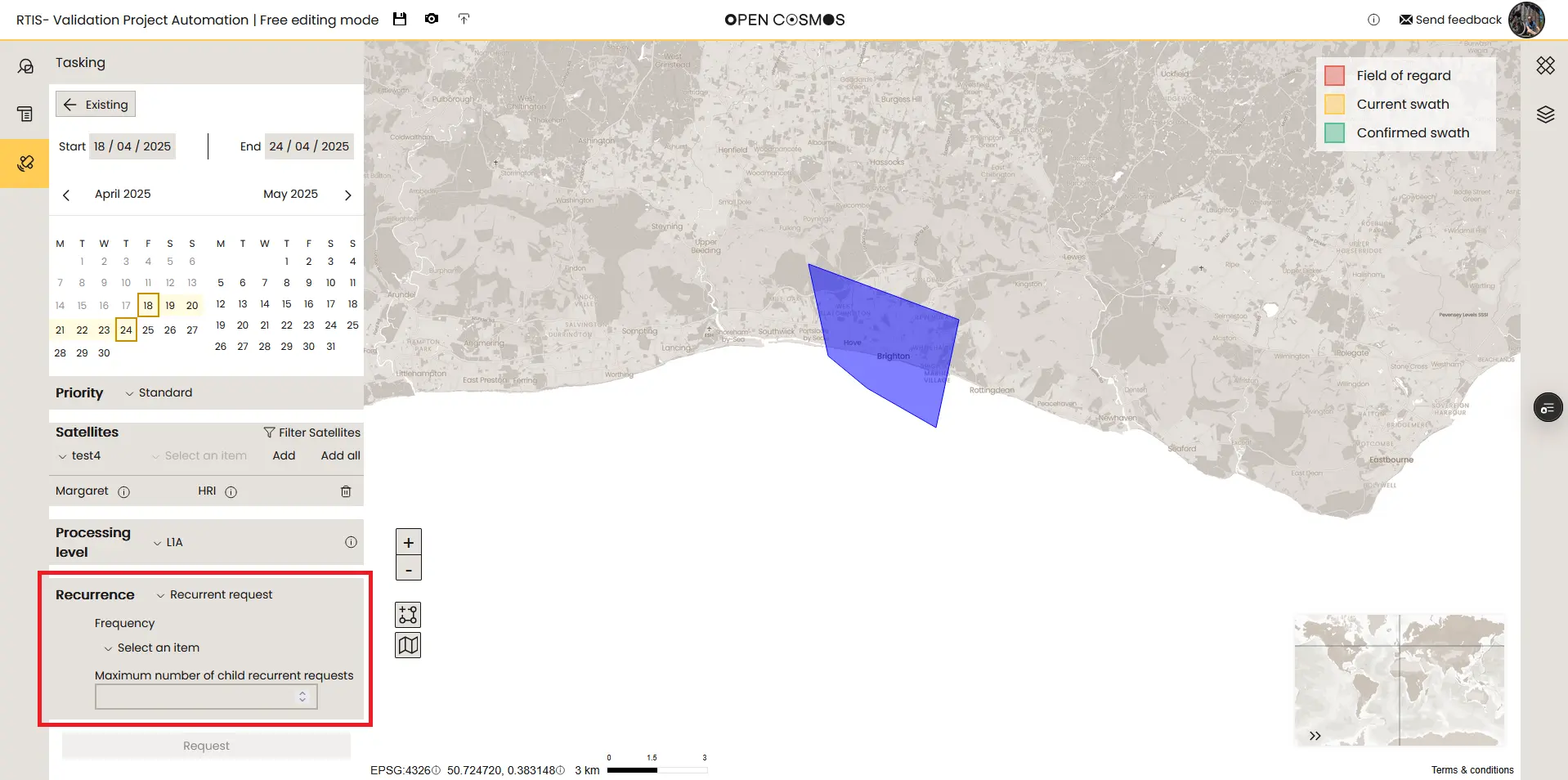
In this section, there are two parameters that need to be set:
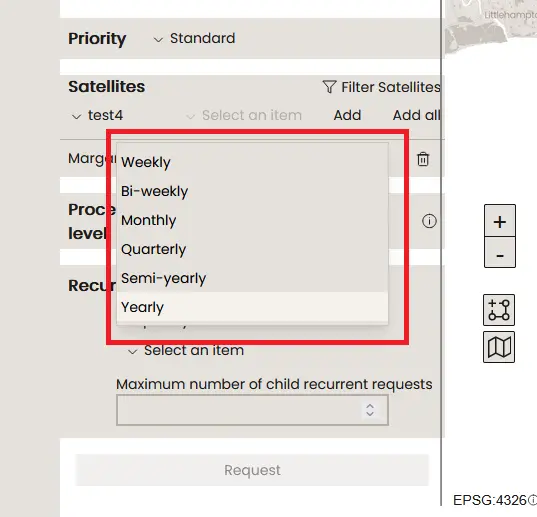
- Frequency: This parameter defines the frequency of the tasking request. The available options are:
- Weekly
- Biweekly
- Monthly
- Quarterly
- Semi-yearly
- Yearly
- Maximum number of child requests: This parameter defines how many child requests will be created before the parent request is deemed complete.
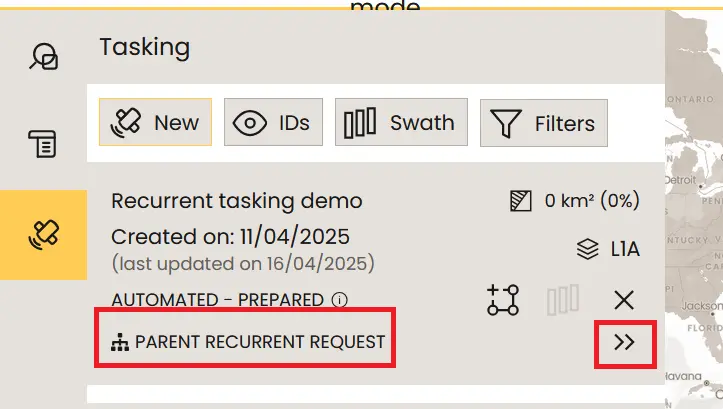
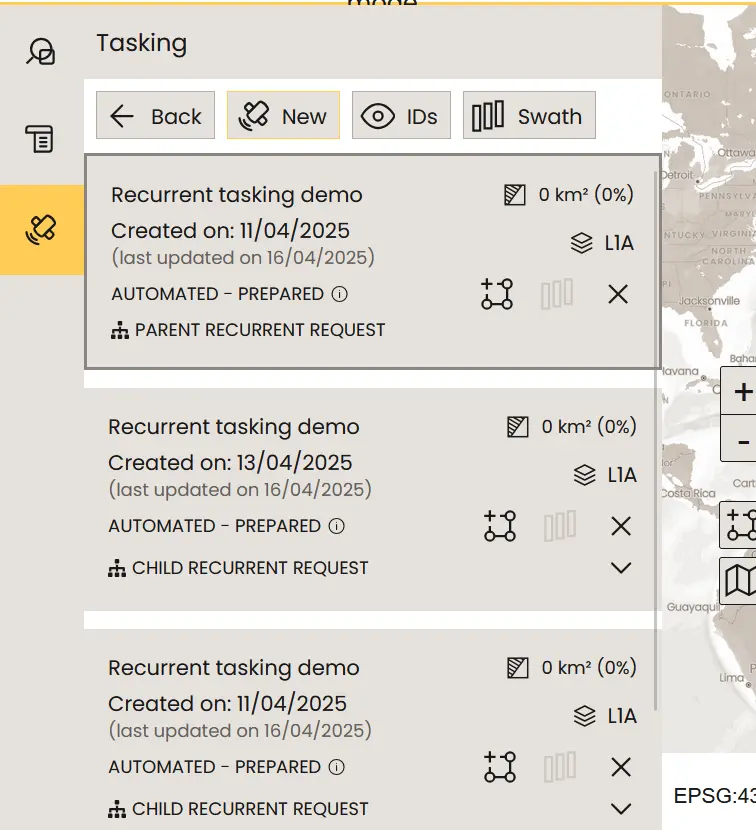
Once the parent tasking request has been created, it will be visible in the tasking user interface and will be marked as a "Parent Recurrent Request". Clicking the expansion arrow will open a list of all the associated child tasking requests.
Payments for Recurrent Coverage Tasking Requests
Upon creation of a parent recurring tasking request, the default payment method for the organisation will be validated but no payment will be taken. Payment will automatically be taken from that payment method upon creation of each child tasking request.