Managing Tasking Requests
Once a tasking request has been created, users are then able to manage that request through the DataCosmos UI.
This allows the users to perform several tasks, including:
- View tasking request status
- Manually alter the area observed within the field of regard.
- Alter the duration of observation (length of the image)
Tasking status
When the tasking toolbar is selected in the DataCosmos UI, tasking requests for the currently selected project are displayed in the left-hand menu.
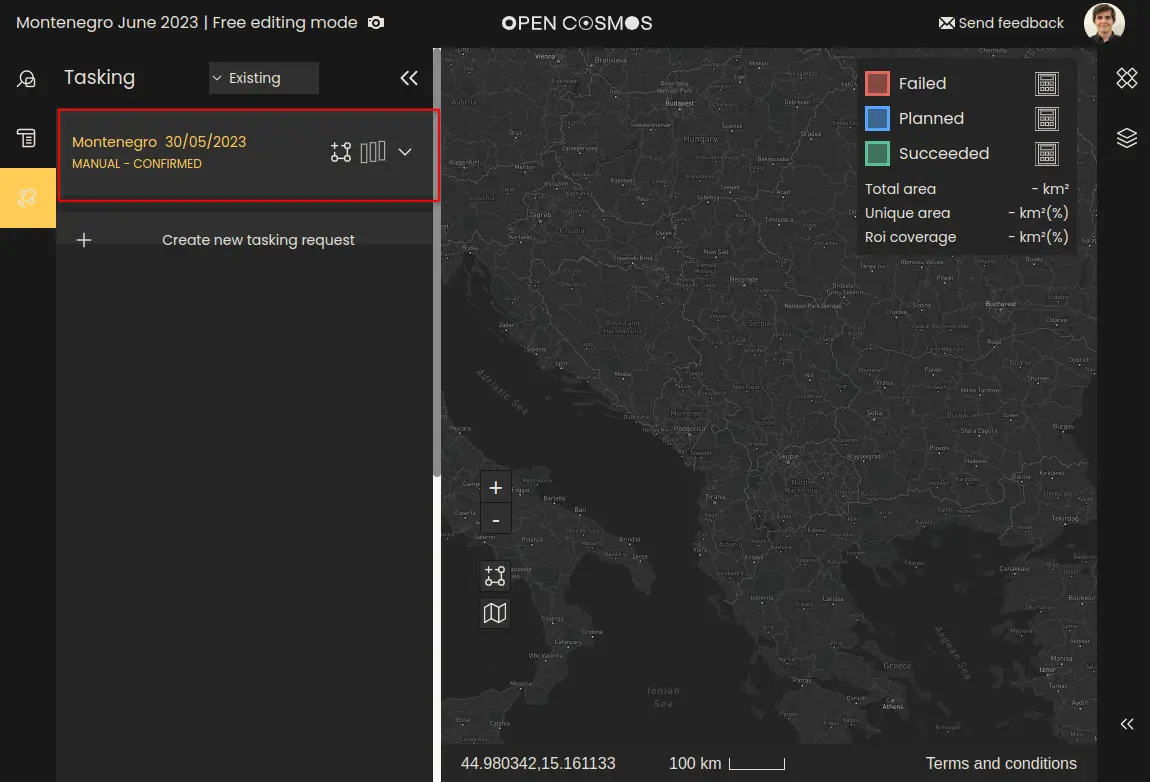
Selecting the “View ROI” and “View Swaths” buttons will display these layers on the map, in a colour representative of the activity progress
- Blue = Tasking request planned for future date.
- Red = Failed to complete tasking request - no image available.
- Green = Tasking request successful, image will be processed and made available in the projects tab.
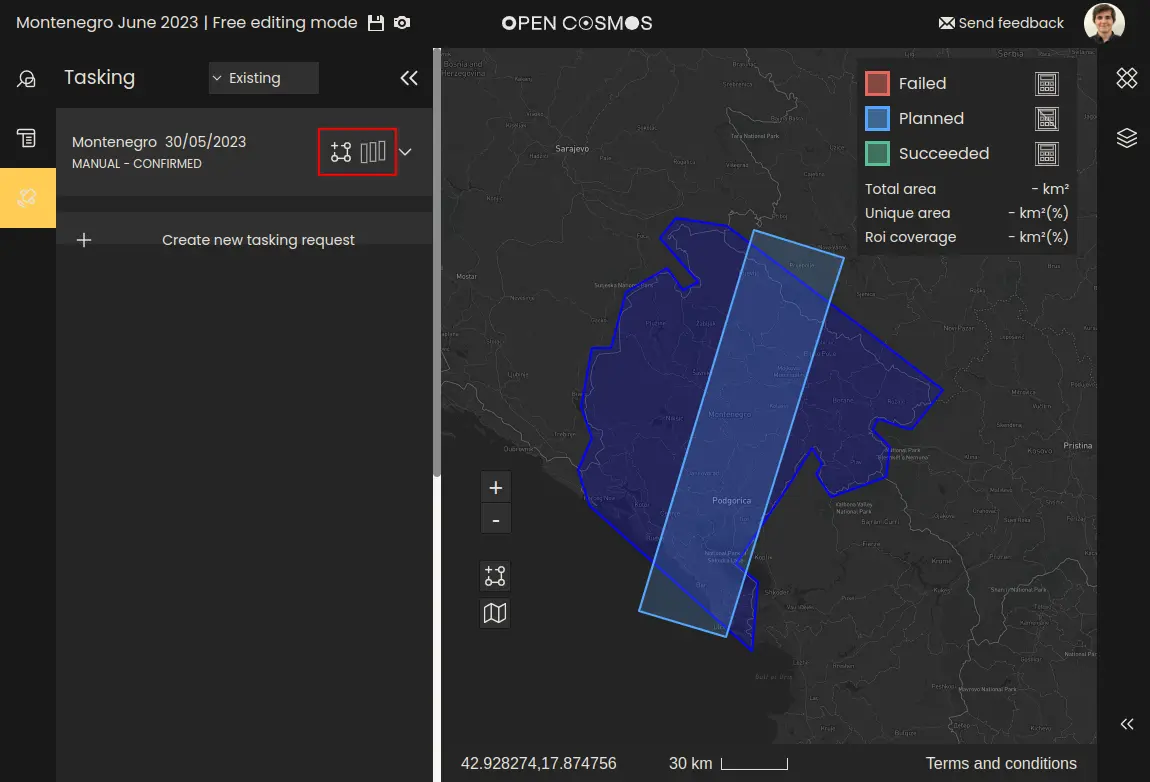
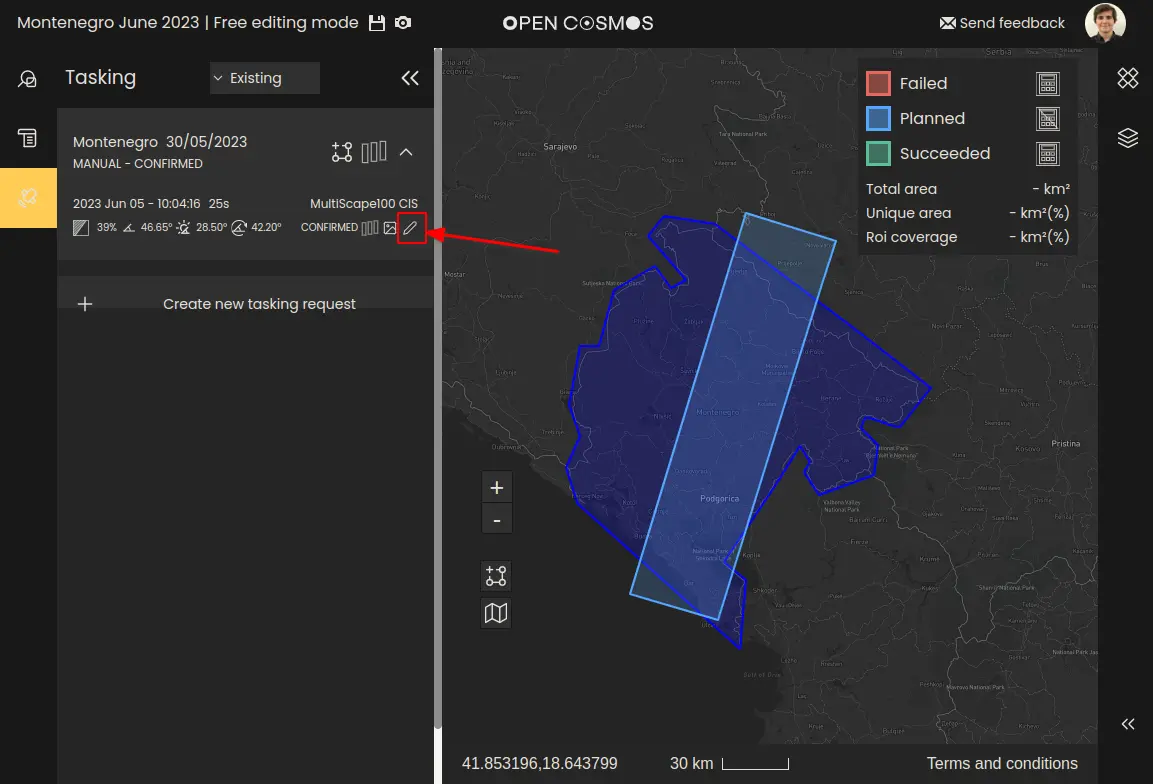
By selecting the tasking request from the left hand menus, users will access a drop-down list of the individual activities.
Each activity's layer can have its visibility toggled independently.
Importantly, as a satellite’s position and velocity data is continually updated, the requested swaths will likely drift slightly from the original request. Therefore, we recommend users monitor their tasking request in period immediately prior to observation.
The cloud cover forecast for each activity will be updated regularly until the time of the acquisition. Closer to the acquisition time, the forecast will be updated more frequently and it will become more accurate. If a value of N/A is displayed, it means that the forecast is not available yet or the acquisition date has already passed.
Note that the exact time and roll-angle of the activity can change overtime. As OpenCosmos gains better knowledge of the satellite’s position and velocity, the tasking request will be updated to maintain the same imaged area from the original request. To prevent big shifts in the observation conditions, Open Cosmos recommends generating tasking requests as close to the observation date as possible.
Editing tasking request
When a tasking request's status is still "Planned" - i.e., it is pending an upcoming observation date. It will be possible to amend both the positions and length of that tasking request*.
*Activities can only be updated before a particular notice period, depending on the satellite and instrument selected for the activity.
When the appropriate activity is selected, users can manually update the tasking paramaters by selecting the “Edit” button.
The editing interface allows the start and end times, and the roll angle to be updated. Selecting “Confirm” will make a request to update the activity.
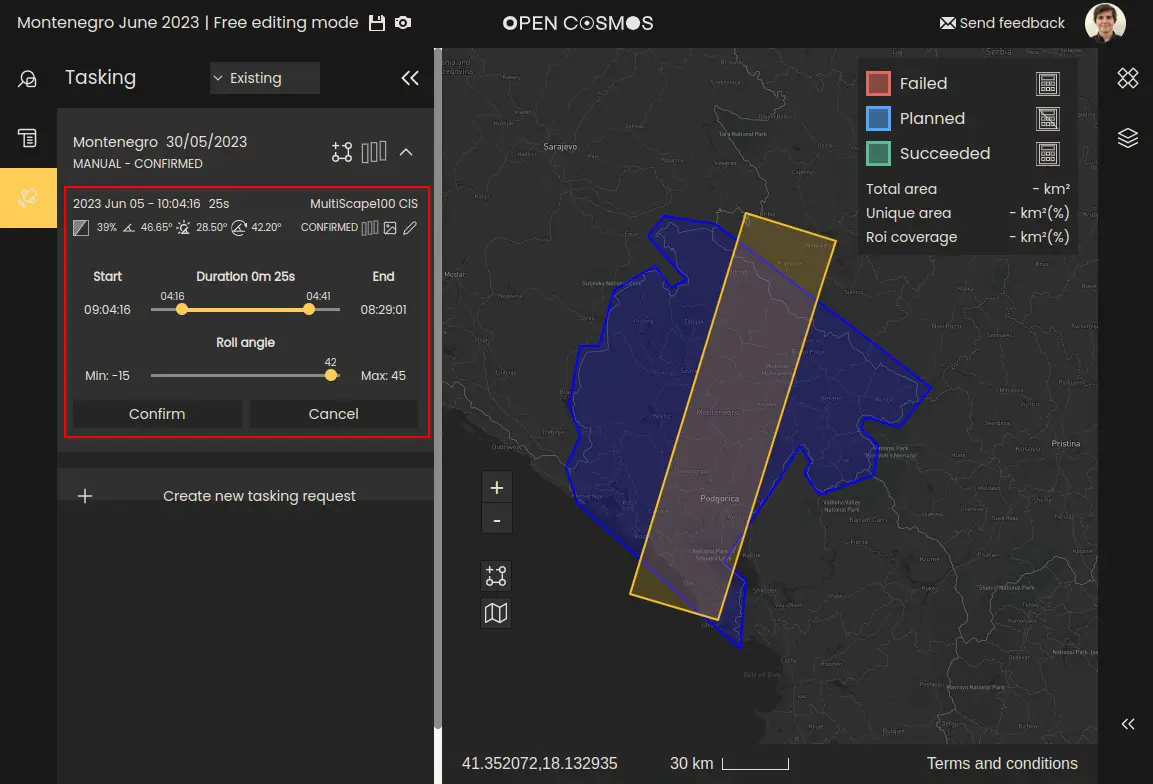
Allowing imager specific parameters to be edited will be made available in a future update.
Scheduling
Open Cosmos will prioritise Tasking Activities before they become “confirmed” based on the priority level. Lower numbers indicate higher priority.
- Priority Level 5 - Humanitarian emergency.
- Priority Level 10 to 30 - Reserved for Open Constellation customers.
- Priority Level 40 - Priority.
- Priority Level 50 - Standard.
- Priority Levels under 50 - For Open Cosmos internal use
Where to next
← Data Delivery | Glossary →