DataCosmos Release Notes - June 09, 2026
New Features
Tasking Workflow Redesign
The tasking flow has been rebuilt with a clearer, step-by-step breakdown to guide you through the process more intuitively.
The new approach breaks the creation process into logical, digestible phases, ensuring you always know exactly where you are and what information is required.
Upfront Contract & Mode Selection:
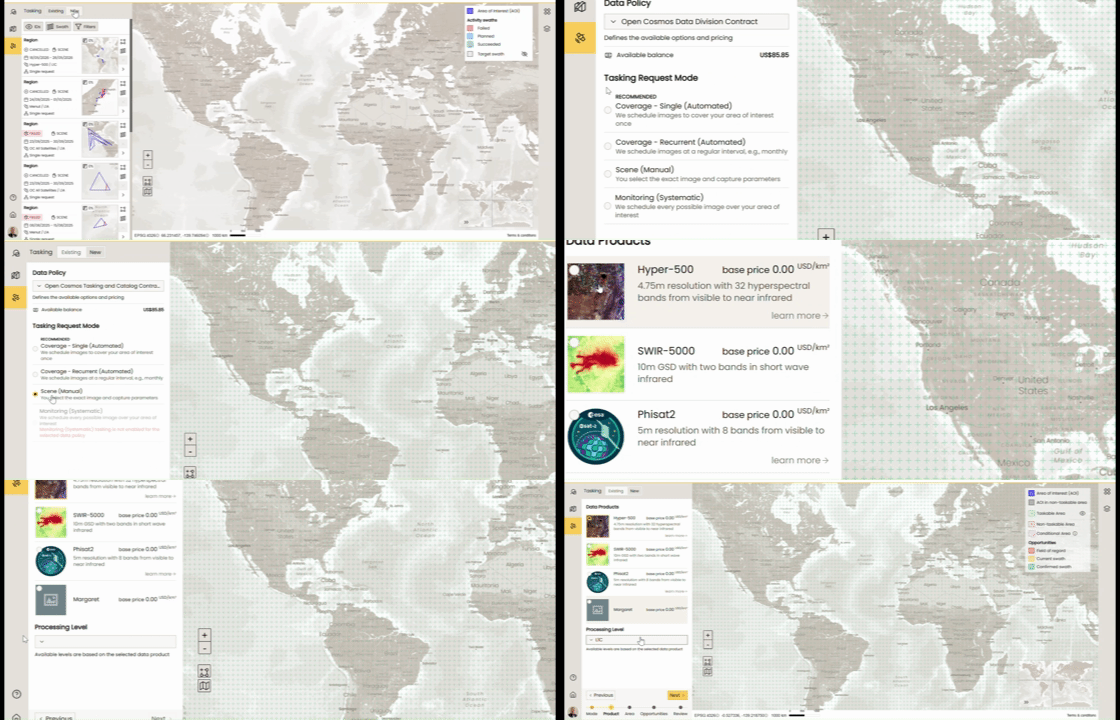
You can now select your specific contract and tasking mode right in the very first step, setting the correct context for the rest of your request.
Step-by-Step Navigation:
A clear progress indicator shows your current step. Need to make a change? You can easily move back to previous steps or forward to the next without losing your progress.
Structured AOI & Product Definition:
The second and third steps are now dedicated entirely to defining your Area of Interest (AOI) and selecting your data product, respectively.
Consolidated Constraints:
All dates, scheduling parameters, and specific constraints are now saved for the final step, keeping the initial setup clutter-free.
Updates include a new mode selection screen, improved area of interest and data product selection, and a redesigned date selection calendar with a constraints popup.
Workflow Visualisation
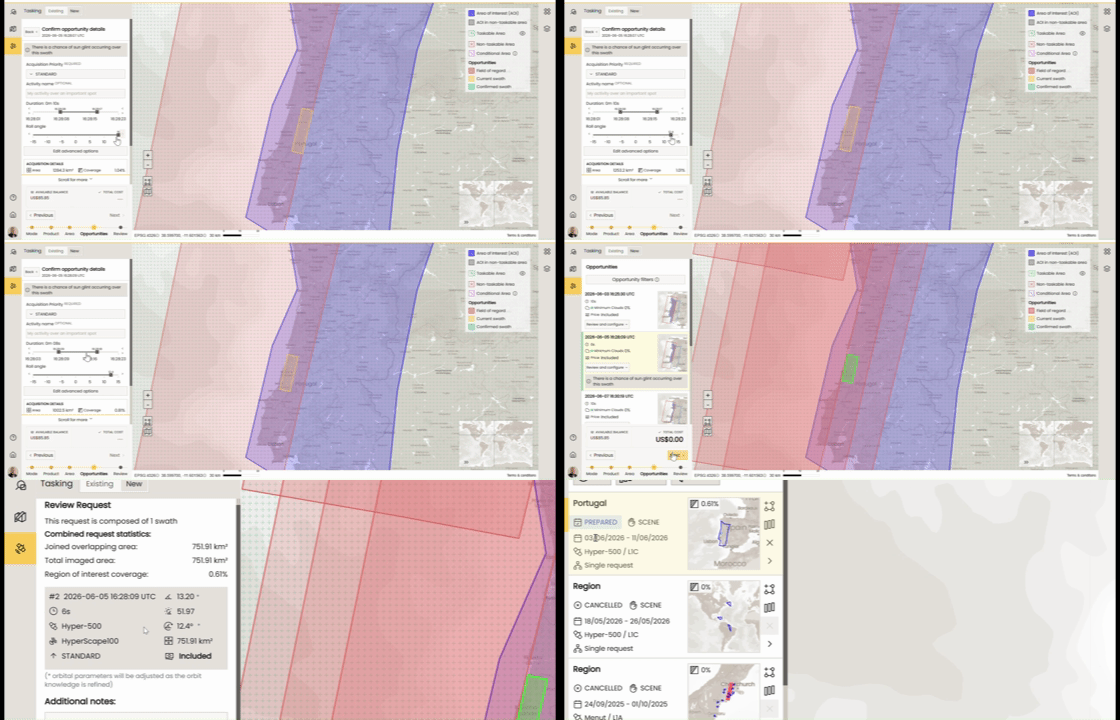
To help you visualise the new flow, here is a quick walkthrough of how a request moves from concept to confirmation:
[New Request] ➔ [Draw/Upload AoI] ➔ [Opportunity Selection] ➔ [Configure Ops] ➔ [Review & Confirm]
Workflow steps
New Request to Draw/Upload AoI
Initiate your request by picking your contract parameters. From there, you will be seamlessly guided to the map interface where you can either draw your AoI directly on the screen or upload your existing geospatial files
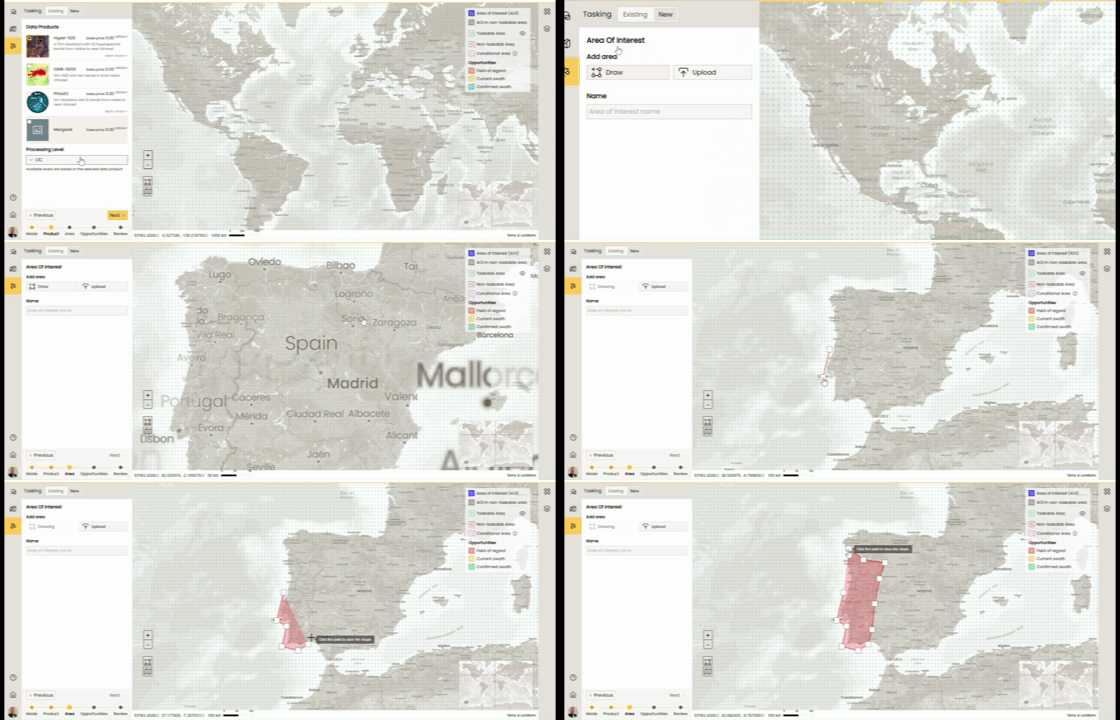
AoI to Opportunity Selection
Once your area is defined, the system will process the available data products and present you with the best matching opportunities based on your target zone.
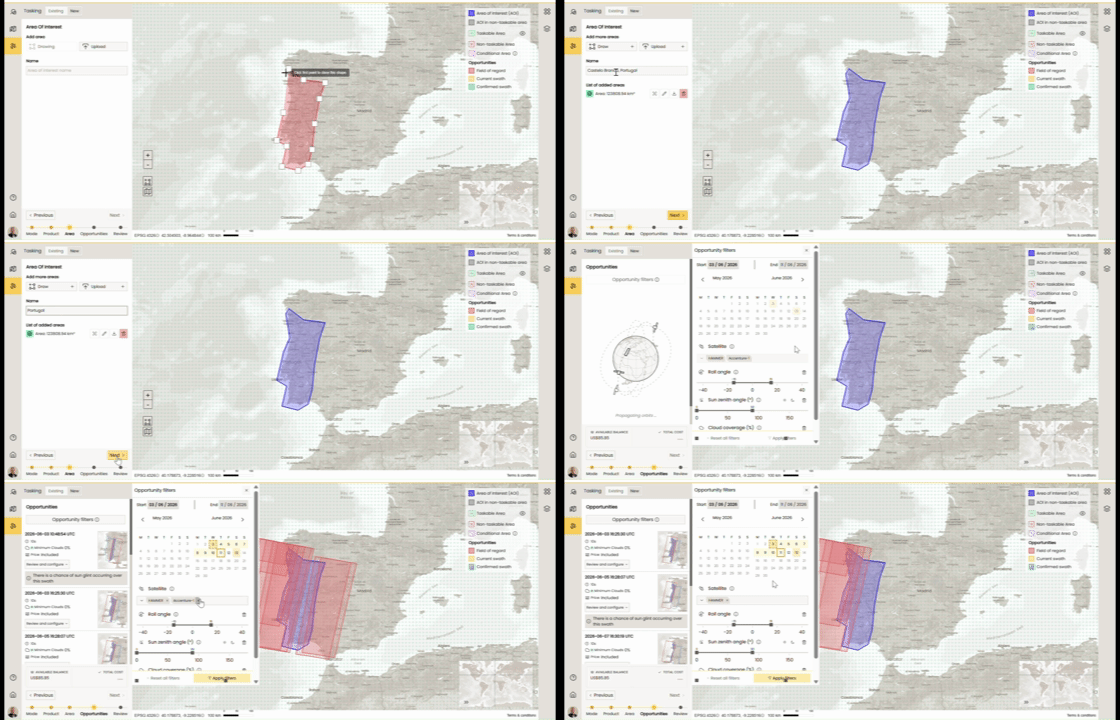
Configure Opportunities to Confirm Request
Fine-tune your selection. This is where you set your definitive dates, look angles, and other critical constraints. If you are juggling multiple opportunities, you can configure them sequentially before moving to final validation.
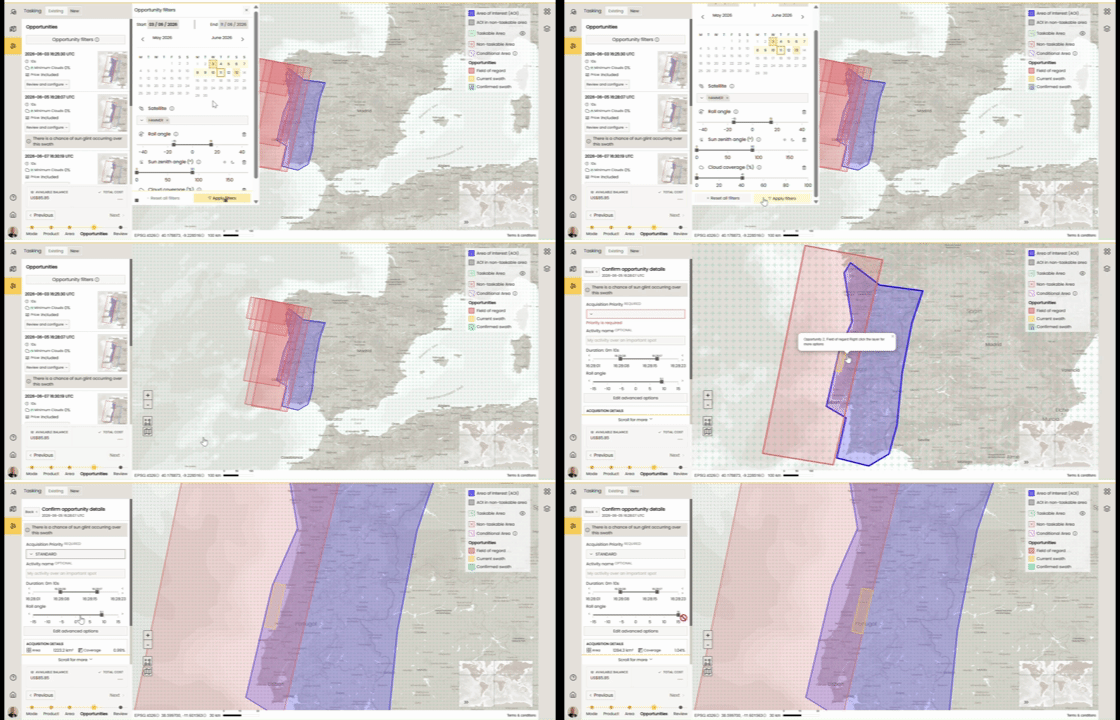
Review & Confirm Request
Before submission, you'll land on a comprehensive Review Page. This gives you a complete overview of your contract, AoI, product choices, and constraints so you can double-check everything before hitting submit.
Platform Improvements & Priority Fixes
Credits Payment Option Disabled When Balance Is Insufficient
If your credit balance (including any overdraft allowance) is too low to cover an order, the credits payment option is now automatically disabled. This prevents failed payment attempts and makes it clear upfront that another payment method is needed.
Catalog: Advanced Parameters Can Now Be Set Manually
You can now type values directly into advanced parameter fields in the catalog, rather than being restricted to controls like sliders or steppers. This gives you more precise control over your search parameters.
Catalog: Filtering and Pagination Improvements
Behind-the-scenes improvements to how catalog results are filtered and paginated ensure more consistent and reliable browsing of large result sets.
Project List Load Time Reduced
The delay when selecting a project and waiting for the list to appear has been reduced, making navigation feel snappier.
YAML Configuration File Support
The platform now accepts YAML files in addition to JSON wherever configuration files are used, giving teams more flexibility in how they manage their setup.
Tooltips Improved
Tooltips across the platform have been made clearer and more informative. Stuck tooltips that were blocking access to certain parts of the interface have also been fixed.
MTO Error Messages Improved
Certain errors from the tasking service that were previously reported as unexpected system errors will now return clearer, more descriptive messages to help you understand what went wrong.
Questions or Feedback?
If you have any questions about this release, please contact us at the DataCosmos Helpdesk.